Nirvana Lab

Home / Blog / AEM to Liferay Migration: What Actually Moves, What Must Be Rebuilt, and What Should Be Rethought? 
Table of Contents

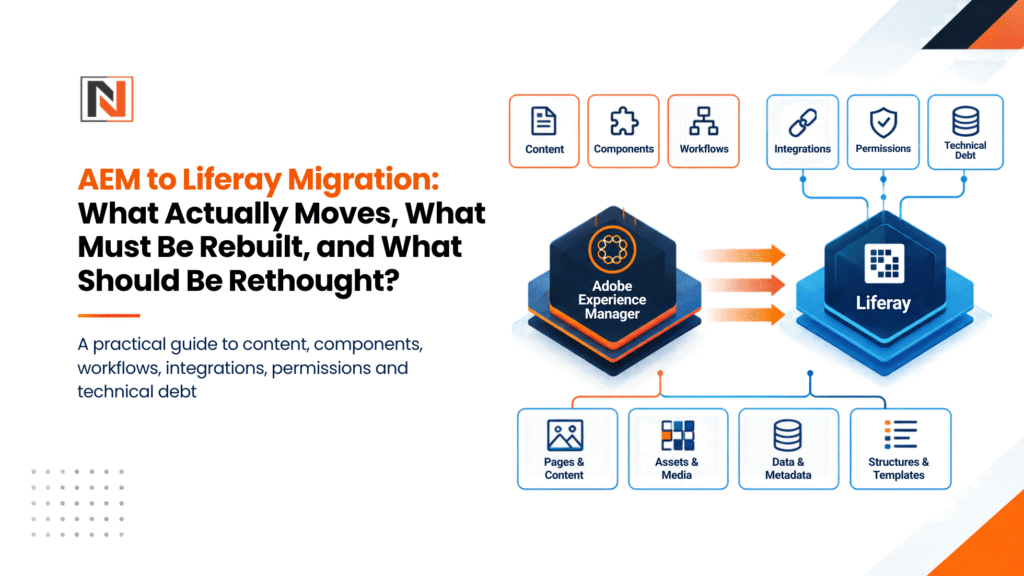
AEM to Liferay Migration: What Actually Moves, What Must Be Rebuilt, and What Should Be Rethought? 

AEM to Liferay Migration- What Actually Moves, What Must Be Rebuilt, and What Should Be Rethought?

A practical guide to content, components, workflows, integrations, permissions and technical debt

The biggest mistake in an AEM-to-Liferay migration may be migrating too much.

When enterprises begin planning an AEM to Liferay migration, the conversation usually starts with content, components and migration cost.

How many pages do we have?

How many assets?

How many components need rebuilding?

How long will the migration take?

Those are important questions. But there is a more important one: How much of our existing AEM setup actually deserves to survive? After years of development, an enterprise AEM environment can contain thousands of pages, custom components, Experience Fragments, workflows, integrations, permissions and legacy implementation decisions. Recreating all of that in Liferay may produce a new platform—but it can also reproduce the old technical debt.

At Nirvana Lab, our experience across 15+ enterprise portal environments, 40,000+ structured pages, content nodes and digital assets, and a combined authenticated-user footprint of 500,000+ users has taught us a simple lesson: Treat AEM → Liferay as an architecture modernization exercise, not a code translation project.

This is Part 3 of our AEM Modernization Decision Series. If you are still deciding whether your organization should remain with AEM, move toward AEM Cloud, or evaluate another DXP, start with Part 1: AEM 6.5 Is at a Turning Point.

The 1:1 Migration Trap

Consider a real example from an anonymized enterprise engagement.

The client’s AEM environment contained: 

  • 80+ custom HTL components 
  • 120+ Experience Fragment variations 
  • 15 portal sections 
  • multiple regional experiences 
  • complex authoring dependencies 

The initial assumption was straightforward: Rebuild everything in Liferay.

That would have meant recreating dozens of custom components as Liferay modules and reproducing the existing Experience Fragment structure. We challenged that assumption. A deeper JCR usage analysis showed that 52 of the 80+ components were essentially variations of basic visual patterns—different card styles, image positions, borders and layout treatments.

The 120+ Experience Fragments had another problem. Many existed because authors had limited flexibility over page composition. Developers had preassembled layouts to prevent authors from breaking complex page structures.

So we asked a different question: What business capability are these components actually providing?

The answer was much smaller than the technical inventory suggested. The result: 80+ custom AEM components → 12 reusable Liferay Page Fragments

120+ Experience Fragment variations → 15 Display Page Templates and reusable page structures

Visual variations moved into Liferay’s design system rather than becoming another layer of custom Java code.

Liferay’s current documentation describes Page Fragments as reusable, extensible building blocks for pages and templates, while Display Page Templates provide reusable structures for displaying content at dedicated URLs. (Liferay Learn: Page Fragments ; Liferay Learn: Display Page Templates )

The result was an 85% reduction in the custom UI component footprint within that migration scope. That is the difference between replatforming and rebuilding the past.

What Actually Moves?

An AEM-to-Liferay migration is not simply an export/import exercise. AEM’s Content Fragments, for example, are structured, presentation-independent content designed for reuse across channels. Experience Fragments are different: they combine components, content and layout into a reusable experience. (Adobe Experience League) That distinction matters when deciding what moves.

Typically migratable

AEM asset Possible Liferay destination
Pages Liferay Content Pages
Structured content Web Content / Objects
Documents & assets Documents and Media
Metadata Liferay content/asset metadata
Categories & tags Categories/Vocabularies
Users Users/Organizations
URLs Friendly URLs + redirects
Selected historical content Only where business value remains

The key word is selected. Just because something exists in AEM does not mean it belongs in the new platform. 

What Must Be Rebuilt?

This is where the migration becomes an architecture exercise.

AEM Components

HTL/Sightly implementations, Sling Models, dialogs and custom Java logic cannot simply be translated line-for-line into Liferay. Each component needs to be classified. Can Liferay’s native Fragments handle it? Can it become a Display Page Template? Should it become a Liferay Object? Does it genuinely require custom OSGi development?

Liferay’s Fragment architecture allows reusable HTML, CSS and JavaScript-based building blocks, including editable fields and configurable layouts. (Liferay Learn) That makes component rationalization one of the most important steps in an AEM migration strategy.

Workflows

Do not automatically recreate every AEM workflow. First ask: What business process was this workflow solving? A regional approval workflow may still be essential. A workflow created six years ago to compensate for an old authoring limitation may not be. The target should reproduce the business requirement, not necessarily the old implementation.

Integrations

CRM, ERP, APIs, form processors, identity providers and other backend services also require individual assessment. The question should be: Does the business still need this integration, and what is the cleanest way to implement it in Liferay? Liferay Objects can support structured business data and can expose object functionality through APIs, providing another option where custom application logic is required. (Liferay Learn)

What Should NOT Be Migrated Blindly?

This is often where the greatest value is created.

Look for: 


  • duplicate pages 
  • orphaned content 
  • obsolete assets 
  • unused components 
  • abandoned Experience Fragments 
  • outdated workflows 
  • redundant integrations 
  • legacy personalization rules 
  • technical experiments that became permanent 

In one enterprise assessment, more than 40 Experience Fragment variations had not been meaningfully updated for over 18 months. They existed. They were technically part of the system. But that did not make them business-critical. Migration is the opportunity to separate existence from value.

The Four Decisions: Redesign, Rebuild, Migrate or Retire

At Nirvana Lab, we use a simple decision framework.

REDESIGN

For high-value functionality whose existing AEM implementation has become unnecessarily complex.

Examples: 

  • nested component structures 
  • bespoke Experience Fragment systems 
  • rigid authoring patterns 
  • complex presentation logic 

Use native Liferay capabilities such as Page Fragments, Display Page Templates, Master Pages and design-system controls wherever possible.

Liferay’s Style Books allow teams to manage visual properties such as typography, colour and spacing, while design libraries can centralize reusable design resources across multiple sites. (Liferay Learn)

REBUILD

For business-critical functionality that genuinely needs custom logic.

Examples: 

  • transactional tools 
  • complex calculators 
  • specialized applications 
  • enterprise integrations 


These may require custom OSGi modules, Objects or APIs. 

MIGRATE

For content and data with clear ongoing value.

Examples: 

  • current structured content 
  • active documents 
  • product information 
  • approved taxonomies 
  • selected historical content 
  • appropriate user data 


For suitable entities, Liferay’s Batch Engine supports programmatic bulk data import and export. 

RETIRE

For anything with low business value and high technical debt.

This may include: 

  • obsolete pages 
  • unused components 
  • duplicate assets 
  • legacy workflows 
  • redundant integrations 


The most valuable migration decision may be deciding what not to migrate. 

Permissions: The Part That Gets Serious

Moving a 200-page marketing site is very different from moving an authenticated enterprise portal. Nirvana Lab’s experience includes environments with a combined footprint of 500,000+ authenticated users across customer, employee and partner experiences.

That means migration planning must consider:

  • AEM CUGs and ACLs 
  • enterprise identity providers 
  • SAML/OAuth flows 
  • organizations 
  • sites 
  • user groups 
  • roles 
  • document permissions 
  • partner access 
  • customer-specific content 
  • regional access rules 

Liferay supports granular permissions across sites, roles, users and content, but the target model needs to be deliberately designed rather than mechanically translated from AEM.

For an enterprise portal, identity and authorization architecture should be designed before content migration begins.

Don’t Leave SEO Until the End

A technically successful migration can still damage organic visibility if URLs and redirects are treated as an afterthought. Build the URL mapping before migration.

At minimum, map: Old URL → New URL → Redirect → Canonical → Metadata → Validation status

Google’s site-move guidance recommends preparing URL mappings, testing the new site and implementing appropriate permanent redirects when URLs change. (Google Search Central) This is why AEM content migration and SEO migration cannot be treated as separate projects.

The Nirvana Lab Approach: Discovery Before Development

We believe no migration development should begin until the Discovery & Rationalization Matrix is signed off. Our typical discovery sprint covers five areas.

Technical & Content Inventory

Automated and manual discovery of: 

  • JCR nodes 
  • pages 
  • assets 
  • component usage 
  • workflows 
  • integrations 

Component Heatmap

Which components are actually being used? Which are duplicates? Which are simply styling variations?

Identity & Permissions Audit

Map users, roles, CUGs, ACLs and identity-provider flows to the target Liferay architecture.

Business & Content Alignment

Talk to the people who actually use the platform.

What do marketing teams need?

What do portal users need?

Which workflows still matter?

Which content has genuine business value?

SEO & URL Mapping

Build the redirect and metadata strategy before content moves.

The output is a signed-off: REDESIGN / REBUILD / MIGRATE / RETIRE matrix.

Only then should migration development begin.

AEM JCR to Liferay: Think Mapping, Not Translation

The temptation is to create a technical mapping like: AEM node → Liferay node

That is rarely enough.

Instead, map: Business purpose → Content model → Experience → Permission → Integration → Target Liferay capability For example:

AEM structured content

→ Liferay Web Content / Object

AEM Experience Fragment

→ Liferay Fragment / Display Page Template / structured content experience

AEM custom workflow/

→ Liferay workflow—or retirement if the underlying process is obsolete

AEM CUG / ACL

→ Liferay Organizations / User Groups / Roles / permissions

AEM custom component

→ Liferay native Fragment—or custom implementation only where justified

This approach prevents the target architecture from becoming a mirror image of the old one.

Before You Approve an AEM Migration Budget, Ask These 10 Questions

1. How much of our AEM content is actually used?

2. Which components deliver genuine business value?

3. How many components are merely visual variations?

4. Which workflows still represent real business processes?

5. How will our identity model change?

6. Which integrations should be redesigned or retired?

7. What is our URL and SEO migration strategy?

8. How much custom code will remain after migration?

9. What can business users do without IT?

10. What are we deliberately choosing not to migrate?

Those questions change the conversation from: “How do we move AEM?”

to:

“What should our digital platform become?”

AEM to Liferay Migration Checklist

Before development starts, you should have:

  • AEM/JCR inventory
  • Content and asset inventory 
  • Component usage heatmap 
  • Workflow inventory 
  • Integration/API inventory 
  • User and identity mapping 
  • Permissions matrix 
  • Taxonomy mapping 
  • URL/301 redirect matrix 
  • SEO metadata inventory 
  • Redesign/Rebuild/Migrate/Retire classification 
  • Target Liferay architecture 
  • Migration-wave plan 
  • Business-owner sign-off  


If these do not exist, your migration estimate is probably based on assumptions rather than evidence. 

Frequently Asked Questions

Is AEM to Liferay migration just a content migration?

No. Content is only one layer. Components, workflows, integrations, permissions, identity, URLs and technical architecture also need to be assessed. 

Not usually in a meaningful 1:1 way. The better approach is to understand the business capability behind each component and determine whether it should be redesigned, rebuilt, migrated or retired. 

Parts of it can. The right approach depends on the source structure and target content model. Automation can accelerate migration, but mapping, validation and quality checks remain essential. 

They should be assessed individually. Some may translate into reusable Liferay Fragments or templates; others may be better represented through structured content and Display Page Templates. 

Permissions need to be mapped to Liferay’s target identity and authorization model. This can involve Organizations, Sites, User Groups, Roles and content-level permissions. 

There is no universal percentage. Migrate based on business value, usage, compliance, SEO importance and future relevance—not simply because content exists in the repository. 

There is no meaningful single number without understanding the AEM footprint, custom components, content volume, integrations, authenticated users, permissions and redesign requirements. 

That is precisely why discovery should come before the migration estimate. 

The Bottom Line

A successful AEM to Liferay migration is not about making Liferay look like AEM.

It is about taking what the organization has learned from its existing digital estate and building a platform that better reflects what the business needs today.

Preserve what creates value.

Rebuild what creates differentiation.

Redesign what has become unnecessarily complex.

Retire what no longer deserves to exist.


That is the difference between moving platforms and actually modernizing them.

Schedule a 2-Week AEM → Liferay Migration & Rationalization Assessment

Before committing to a migration timeline or budget, Nirvana Lab can assess your AEM footprint and create a practical modernization roadmap covering:

JCR & Component Heatmap Identify what can be retired, consolidated or replaced with native Liferay capabilities.

Permissions & Identity Mapping Plan the target access model for authenticated users, customers, employees and partners.

Target Architecture Blueprint Classify the estate through the Redesign / Rebuild / Migrate / Retire framework.

Migration Roadmap Define migration waves, dependencies, SEO requirements and cutover priorities.

Don’t ask how much it costs to migrate your AEM setup. First ask how much of that setup deserves to survive into Liferay.

Continue the AEM Modernization Decision Series

Part 1: AEM 6.5 Is at a Turning Point: Why Enterprises Should Re-evaluate Their DXP

Part 2: AEM Cloud vs. Liferay: How Should Enterprises Choose?

Part 3: AEM to Liferay Migration: What Actually Moves, What Must Be Rebuilt, and What Should Be Rethought?

Next: AEM to Liferay Migration Playbook: A 6-Phase Approach to Discovery, Architecture, Migration, Testing and Cutover.

Author