The AEM 6.5 deadline is a strategy trigger—not a platform verdict
For many enterprises, AEM 6.5 has been the foundation of a digital estate for years. But the next decision is no longer simply, “How do we upgrade?” It is, “What should our digital experience architecture look like for the next three to five years?”
Adobe’s current roadmap keeps AEM 6.5 on a supported path through AEM 6.5 LTS, while core support for Adobe Managed Services ends August 31, 2026 and on-premise core support is currently planned through February 2027. That creates a planning window—not a reason to make AEM Cloud the automatic destination. Adobe’s AEM release roadmap
As Blog 1 established, AEM 6.5’s lifecycle should be treated as a trigger to reassess architecture—not an automatic instruction to move to AEM Cloud.
The central question is: if significant modernization is unavoidable, should you stay in the Adobe ecosystem, move to AEM as a Cloud Service, or use the opportunity to re-platform to Liferay DXP?
“The right question isn't ‘Which platform is better, AEM or Liferay?’ The right question is ‘Which platform is better aligned with the digital estate we are actually operating today—and the one we intend to build tomorrow?’”
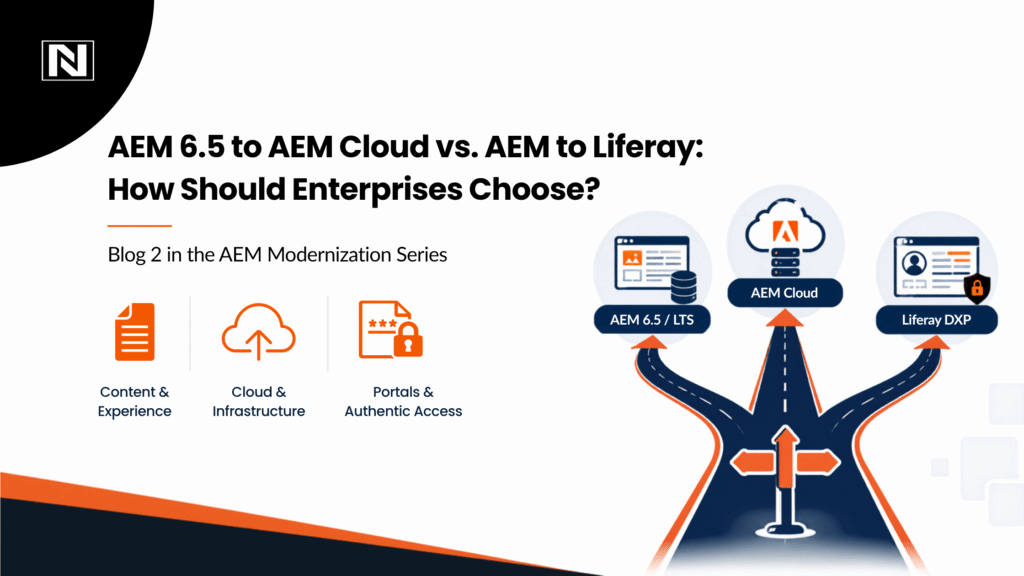
The three choices facing an AEM 6.5 enterprise
Stay on AEM 6.5 / LTS — A valid tactical path where the estate is stable and the organization needs more time for a strategic decision.
Move to AEM as a Cloud Service — A strong option for marketing-led, public-facing digital estates already invested in Adobe Experience Cloud and with a codebase that can be modernized without disproportionate effort.
Re-platform to Liferay DXP — Worth serious evaluation when authenticated portals, B2B self-service, role-based access, document workflows and enterprise integrations dominate the estate.
Why “we’ve already invested in AEM” isn’t enough
The most expensive sentence in an enterprise modernization program can be: “We have already invested too much to change.” That is sunk-cost thinking. Money spent on yesterday’s architecture should not dictate tomorrow’s platform.
Your AEM 6.5 investment is not automatically lost. Content, integrations, design systems, business knowledge and Adobe expertise can retain value. But those assets should be weighed against the cost of preserving an architecture that no longer fits the workload.
AEM Cloud is not simply AEM 6.5 running somewhere else. Adobe’s migration guidance includes readiness assessment, code refactoring and repository modernization. AEM as a Cloud Service uses immutable code and requires architectural changes in areas such as repository structure, deployment and application patterns.
See Adobe’s AEM Cloud readiness guidance and Repository Modernizer documentation.
Nirvana Lab’s view: if the modernization effort is large enough to feel like a re-platforming project, evaluate the platform—not just the migration path.
When does AEM Cloud make sense?
AEM remains an excellent platform. Nirvana Lab would recommend staying with Adobe when the digital estate is primarily a high-volume, public-facing experience layer and the organization gets material value from the broader Adobe ecosystem.
- Marketing-led digital experiences with sophisticated content operations and global localization.
- Heavy investment in Adobe Experience Cloud capabilities and operating processes.
- Advanced DAM requirements where asset workflows, distribution and creative operations are central.
- Low technical debt and a codebase already aligned with modern AEM patterns.
- Limited authenticated functionality—such as basic gated content rather than deeply transactional portals.
The point is not that AEM Cloud is inferior. It is that the economics and architecture should make sense for the workload. If the workload is primarily marketing, Adobe’s ecosystem can be a strategic advantage.
When does Liferay make sense?
The decision changes when the digital estate starts behaving less like a brand website and more like an enterprise operating environment.
- Authenticated customer, dealer, distributor, partner or employee experiences.
- B2B self-service connected to ERP, CRM, inventory, order or account data.
- Granular role-based access and differentiated experiences by organization, account or role.
- Document-heavy workflows and controlled access to business documents.
- Multiple sites, organizations or tenants managed through a common platform.
- Reducing custom portal code and specialist platform dependency is a strategic objective.
Liferay documents roles and permissions as a core DXP capability, with permissions assigned through roles and managed across users, sites and resources. Liferay roles and permissions documentation The point is not that Liferay is universally better; it is that its portal-centric architecture can be a stronger fit for these workloads.
The decision matrix
| Decision factor | AEM Cloud | Liferay DXP |
|---|---|---|
| Marketing-led experience | Strong fit | Strong fit |
| Authenticated portals | Evaluate architecture | Strong fit |
| B2B self-service | Evaluate | Strong fit |
| Adobe ecosystem | Strong fit | Requires re-evaluation |
| Complex DAM | Strong fit | Evaluate requirements |
| Role-based experiences | Evaluate | Strong fit |
| Enterprise workflows | Evaluate | Strong fit |
| Existing AEM custom code | Requires refactoring | Requires migration/re-engineering |
| Long-term TCO | Depends on estate | Depends on estate |
| Migration complexity | Potentially significant | Potentially significant |
The matrix is intentionally balanced. AEM Cloud is not a bad answer. Liferay is not a universal replacement. The wrong answer is choosing either platform before understanding the workload.
Five questions CIOs should answer before choosing
- What percentage of our digital estate is marketing content versus authenticated interaction?
- How much custom AEM code do we actually own—and how much of it creates business differentiation?
- How dependent are we on Adobe Experience Cloud, and what would we genuinely lose by moving?
- What does five-year TCO look like when licensing, refactoring, specialist talent, integrations, cloud operations and ongoing maintenance are included?
- What should we eliminate rather than migrate?
The last question is often the most valuable. A modernization program should not become a warehouse for obsolete components, dead content, unused workflows and custom code that nobody can explain.
What this looks like in the real world
Case study 1: Global industrial equipment / B2B manufacturing
A global industrial manufacturer had AEM 6.5 supporting public marketing sites alongside a highly customized dealer and partner portal. The portal depended on real-time business data, custom authentication and complex workflows. The modernization decision came down to three paths: refactor everything for AEM Cloud, split the workloads, or consolidate on Liferay.
Nirvana Lab’s recommendation was a Liferay-based architecture because the client’s strategic center of gravity had moved toward dealer enablement, transactions and operational self-service. In the scenario, 14 localized sites and more than 12,000 dealer accounts were migrated, while custom authentication and workflow code was replaced with platform capabilities and integrations.
The lesson: when the portal becomes the business, treating it as a CMS extension can create unnecessary architectural and financial complexity.
Case study 2: Financial services / private asset management
A financial-services environment had public investor communications in AEM and a separate legacy investor portal. The challenge was not simply publishing content; it was governing access to documents and experiences according to investor, fund and compliance requirements.
Nirvana Lab’s assessment favored unification on Liferay DXP because granular permissions, document governance and portal workflows were central to the business experience. The scenario illustrates an important point: when secure document and workflow requirements dominate, the architecture should be designed around those requirements rather than forcing them into a primarily content-led model.
Nirvana Lab’s decision framework
Phase 1 - Discovery: Audit authenticated versus unauthenticated traffic, code repositories, JCR/content structures, integrations, topology, workflows, identity and licensing.
Phase 2 - Cloud-readiness assessment: Use automated code and pattern analysis to identify custom bundles, legacy components, repository patterns, authentication logic, workflows and integration constraints.
Phase 3 - Weighted decision matrix: Score digital-estate fit, technical fit, business workflow fit, integration fit, TCO and five-year strategic fit.
Phase 4 - Sunset list: Identify obsolete components, dead content, transactional data stored in the wrong layer and custom authentication or workflow code that should not be carried forward.
Phase 5 - Architecture recommendation: Recommend AEM Cloud, Liferay DXP or a hybrid model based on workload—not vendor preference.
Nirvana Lab starts with telemetry and architecture, not a predetermined migration destination. Automated code analysis, traffic patterns, integration inventory and workload segmentation provide a defensible basis for the recommendation.
Don’t overlook the hybrid option
Some enterprises genuinely need both platforms. A global marketing organization may want AEM Cloud for high-volume public experiences, sophisticated DAM and Adobe ecosystem integration, while its dealer, customer or employee portal needs a different architectural foundation.
A hybrid model can separate workloads instead of forcing one platform to do everything. API integration, shared design systems and unified identity can create a coherent experience while allowing each platform to do what it is best suited to do.
The decision is bigger than AEM vs. Liferay
AEM 6.5 modernization should be treated as an architectural checkpoint. The question is not whether an enterprise can move to AEM Cloud—it can. The more important question is whether that move produces the right business and technical architecture for the next five years.
A useful rule of thumb is this: if your digital estate is predominantly public, marketing-led and deeply embedded in Adobe, AEM Cloud may be the right continuation. If authenticated users, B2B self-service, RBAC, document workflows and operational integrations dominate, Liferay deserves a serious architectural evaluation. If both worlds matter, do not force a false either/or decision.
The right modernization partner should be willing to recommend AEM when AEM is right—and Liferay when Liferay is right. That is the difference between a migration project and an architecture decision.
Frequently Asked Questions
Is Liferay a replacement for AEM?
Not universally. AEM is particularly strong for content-led, marketing-oriented digital experiences and Adobe ecosystem scenarios. Liferay becomes especially relevant when authenticated portals, B2B self-service, permissions, workflows and enterprise integrations are central.
Is AEM Cloud cheaper than Liferay?
There is no universal answer. Compare five-year TCO rather than license price alone: subscription costs, refactoring, specialist skills, infrastructure, integrations, operations and ongoing maintenance all matter.
Is migrating from AEM to Liferay difficult?
Yes. A platform migration is not a content export exercise. Code, templates, integrations, identity, workflows, permissions, content models and user journeys must be redesigned. The key is to avoid migrating technical debt that no longer creates value.
When should an enterprise stay with Adobe?
Stay with AEM when the estate is predominantly public and marketing-led, Adobe Experience Cloud integration is strategically important, DAM/content capabilities are central, and the existing codebase is sufficiently cloud-ready.
What should be assessed before choosing a platform?
Start with traffic and workload patterns, custom code, repository and content structures, authentication, workflows, integrations, licensing, user populations and five-year TCO. Then assess what should be retired rather than migrated.