Artificial intelligence has shifted from an experiment to an operational necessity. For organizations already running on Salesforce, Agentforce is the next leap – a framework for creating AI-powered agents that can act, decide and deliver outcomes inside your CRM. But the real question isn’t whether you need it. It’s how quickly you can put it to work.
This guide will walk you through how to build your first Salesforce Agentforce agent, offering practical steps, business context and examples to help leaders translate AI into measurable results.
For executives, this shift maps directly to business impact:
- Reduced cycle times – Sales teams close faster with automated deal prep.
- Better compliance – Financial services teams avoid errors with policy-driven checks.
- Customer delight at scale – Support queues shrink while resolution speed improves.
What this really means is that Agentforce isn’t a side project. It’s a lever for efficiency and competitiveness.
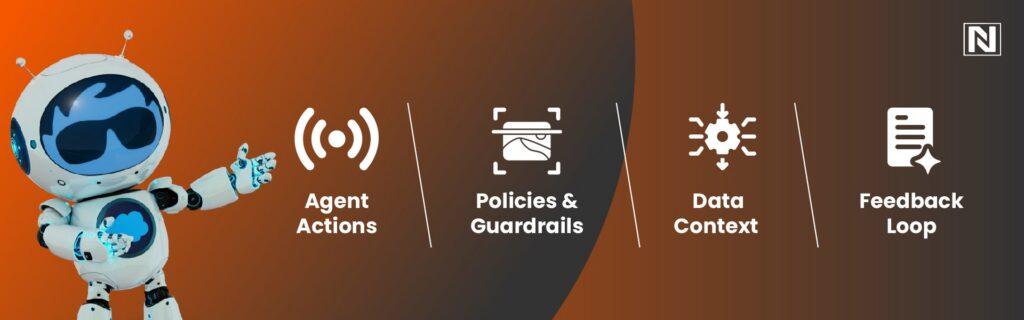
- Agent Actions – The tasks your agent can perform inside Salesforce (e.g., update fields, generate case notes, trigger workflows).
- Policies & Guardrails – Business rules that keep the agent compliant and secure.
- Data Context – The information the agent uses to make decisions, drawn from CRM data, knowledge bases, and integrations.
- Feedback Loop – Monitoring and validation that improves accuracy over time.
Examples:
- Auto-prioritizing leads based on engagement signals.
- Drafting follow-up emails post-demo.
- Summarizing service case history before routing.
A clear use case ensures your agent delivers measurable impact.
- Agent Name & Purpose (e.g., “Opportunity Prep Agent”).
- Data Sources (leads, opportunities, knowledge base).
- Agent Actions (generate notes, assign tasks, send notifications).
Here’s an example of how it looks in Apex:
// Example: Creating a simple Agentforce Agent in Apex
AgentDefinition oppPrepAgent = new AgentDefinition();
oppPrepAgent.Name = ‘OpportunityPrepAgent’;
oppPrepAgent.Description = ‘Prepares opportunity summaries for sales reps’;
oppPrepAgent.Actions = new List<String>{‘SummarizeNotes’,’GenerateFollowUpTask’};
oppPrepAgent.DataSources = new List<String>{‘Opportunity’,’Account’,’Contact’};
insert oppPrepAgent;
And a JSON-style config snippet for policies:
{
“agentName”: “CaseSummaryAgent”,
“allowedActions”: [“SummarizeCase”, “SendNotification”],
“dataSources”: [“Case”, “KnowledgeArticle”],
“policies”: {
“approvalRequired”: true,
“restrictedFields”: [“SensitiveData__c”]
}
}
- Restrict actions to read-only until validated.
- Require approvals for revenue-impacting changes.
- Apply compliance rules (HIPAA, FINRA, GDPR).
Think of this as giving your AI a clear playbook.
- Assign a demo lead and check the score.
- Create a case ticket and review the agent’s summary.
- Validate recommendations with your team.
- Adoption metrics (how often agents are used).
- Outcome metrics (time saved, errors reduced, deal velocity).
- Feedback loops (manual overrides and corrections).
This ensures continuous improvement instead of “set and forget.”
This table shows why Agentforce isn’t just an upgrade. It’s a shift from automation to autonomous execution.
- 3 hours saved per rep weekly.
- 25% faster deal progression.
- More accurate forecasts thanks to consistent agent-driven updates.
This is what businesses unlock when they shift from AI-as-a-tool to AI-as-an-operator.
- Start small, scale fast – Pick one high-ROI workflow first.
- Prioritize governance – Build trust with policies and approvals.
- Measure outcomes, not activity – Focus on cycle times, saved hours, error reduction.
- Invest in feedback loops – Encourage validation to improve accuracy over time.
- Identify workflows that matter.
- Configure agents with guardrails.
- Measure and refine continuously.
If Salesforce CRM is your backbone, Agentforce is your next growth lever. Getting started today means positioning your organization for a future where AI agents aren’t optional, they’re essential.
Frequently Asked Questions