Nirvana Lab

Table of Contents

Inside Agentforce: How to Build Your First Salesforce AI Agent 

Inside Agentforce: How to Build Your First Salesforce AI Agent

Artificial intelligence has shifted from an experiment to an operational necessity. For organizations already running on Salesforce, Agentforce is the next leap – a framework for creating AI-powered agents that can act, decide and deliver outcomes inside your CRM. But the real question isn’t whether you need it. It’s how quickly you can put it to work. 

This guide will walk you through how to build your first Salesforce Agentforce agent, offering practical steps, business context and examples to help leaders translate AI into measurable results. 

Why Agentforce Matters for Business Leaders 

Salesforce designed Agentforce to move beyond predictive AI into agentic AI systems that don’t just recommend actions but actually perform them. Imagine an AI agent that can draft an opportunity plan, update a pricing model or triage customer service cases without waiting for human intervention. 

For executives, this shift maps directly to business impact: 

  • Reduced cycle times – Sales teams close faster with automated deal prep.

  • Better compliance – Financial services teams avoid errors with policy-driven checks. 

  • Customer delight at scale – Support queues shrink while resolution speed improves.

What this really means is that Agentforce isn’t a side project. It’s a lever for efficiency and competitiveness. 

Inside Agentforce: The Core Building Blocks 

Inside Agentforce: The Core Building Blocks

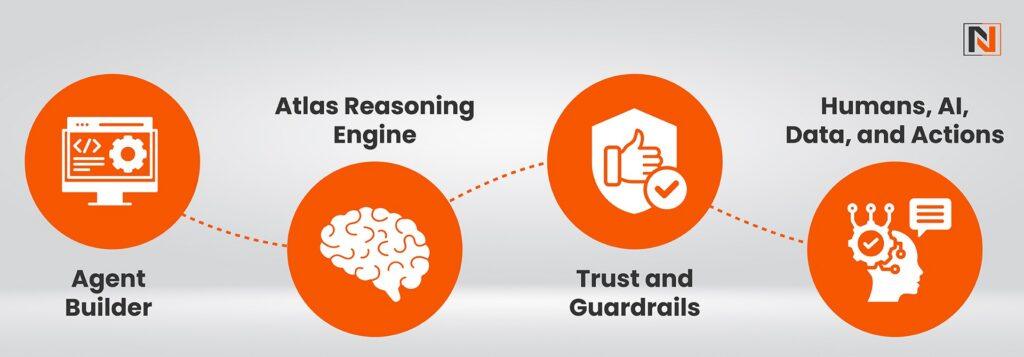
Before diving into a get started with Agentforce tutorial, it’s important to understand the framework. Agentforce operates on four building blocks: 

  1. Agent Actions – The tasks your agent can perform inside Salesforce (e.g., update fields, generate case notes, trigger workflows).

  1. Policies & Guardrails – Business rules that keep the agent compliant and secure.

  1. Data Context – The information the agent uses to make decisions, drawn from CRM data, knowledge bases, and integrations.

  1. Feedback Loop – Monitoring and validation that improves accuracy over time.

Step-by-Step: How to Build Salesforce Agentforce Agent 

Learn how to build Salesforce Agentforce Agent with this step-by-step guide. Start creating AI-driven agents to boost automation and customer success. 

Step 1: Define the Use Case 

Start with business value. Which repetitive workflow creates the most friction? 

Examples: 

  • Auto-prioritizing leads based on engagement signals.

  • Drafting follow-up emails post-demo.

  • Summarizing service case history before routing.

A clear use case ensures your agent delivers measurable impact. 

Step 2: Configure the Agent in Salesforce Setup 

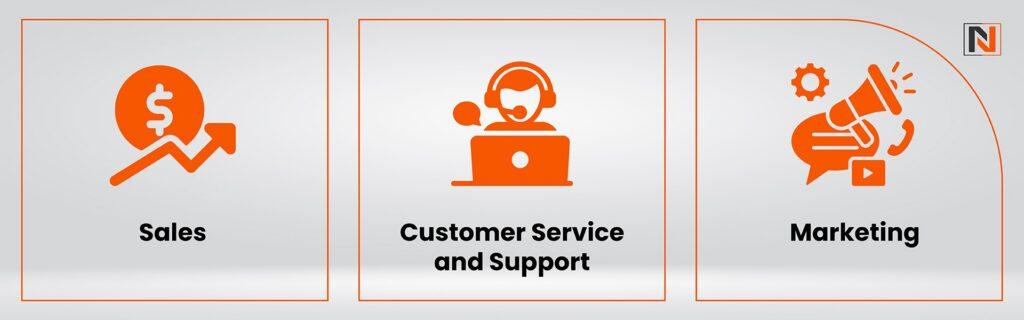
Inside Salesforce, navigate to Agentforce Setup. You’ll see templates for Sales, Service and Marketing use cases. Select one that matches your need or build from scratch. 

You’ll define: 

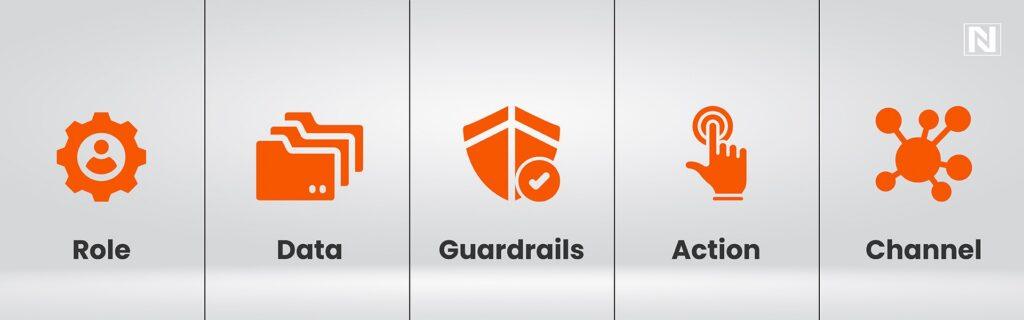
  • Agent Name & Purpose (e.g., “Opportunity Prep Agent”).

  • Data Sources (leads, opportunities, knowledge base).

  • Agent Actions (generate notes, assign tasks, send notifications).

Here’s an example of how it looks in Apex: 

// Example: Creating a simple Agentforce Agent in Apex 

AgentDefinition oppPrepAgent = new AgentDefinition(); 

oppPrepAgent.Name = ‘OpportunityPrepAgent’; 

oppPrepAgent.Description = ‘Prepares opportunity summaries for sales reps’; 

oppPrepAgent.Actions = new List<String>{‘SummarizeNotes’,’GenerateFollowUpTask’}; 

oppPrepAgent.DataSources = new List<String>{‘Opportunity’,’Account’,’Contact’}; 

insert oppPrepAgent; 

And a JSON-style config snippet for policies: 

  “agentName”: “CaseSummaryAgent”, 

  “allowedActions”: [“SummarizeCase”, “SendNotification”], 

  “dataSources”: [“Case”, “KnowledgeArticle”], 

  “policies”: { 

    “approvalRequired”: true, 

    “restrictedFields”: [“SensitiveData__c”] 

  } 

Step 3: Establish Policies and Guardrails 

Governance is key. You can: 

  • Restrict actions to read-only until validated.

  • Require approvals for revenue-impacting changes.

  • Apply compliance rules (HIPAA, FINRA, GDPR).

Think of this as giving your AI a clear playbook. 

Step 4: Train and Test the Agent 

Agentforce training is about grounding, not raw data labeling. You define how it interprets Salesforce objects and documents. 

Testing should simulate real workflows: 

  • Assign a demo lead and check the score.

  • Create a case ticket and review the agent’s summary.

  • Validate recommendations with your team.

Step 5: Deploy and Monitor 

Once accuracy is consistent, move into production. Use Salesforce dashboards to track: 

  • Adoption metrics (how often agents are used).

  • Outcome metrics (time saved, errors reduced, deal velocity).

  • Feedback loops (manual overrides and corrections).

This ensures continuous improvement instead of “set and forget.” 

Comparison: Traditional Automation vs. Agentforce 

Aspect Traditional Salesforce Automation Agentforce AI Agent 
Setup Effort Predefined workflows, limited flexibility Adaptive agents with business-context training 
Intelligence Rules-based (if/then logic) AI-driven, contextual decision-making 
Scalability Requires admin updates for changes Learns and adapts continuously 
Governance Manual checks and balances Built-in policies and guardrails 
Business Impact Incremental efficiency gains Transformational outcomes across sales, service, ops 

This table shows why Agentforce isn’t just an upgrade. It’s a shift from automation to autonomous execution. 

Real-World Example: From Theory to Impact 

A mid-market SaaS company scaling sales ops had reps spending 40% of their time compiling customer notes. By deploying a simple Opportunity Prep Agent in Agentforce, they achieved: 

  • 3 hours saved per rep weekly.

  • 25% faster deal progression. 

  • More accurate forecasts thanks to consistent agent-driven updates.

This is what businesses unlock when they shift from AI-as-a-tool to AI-as-an-operator. 

Best Practices to Get Started with Agentforce 

Now, let’s discuss the best practices to get started with Agentforce, and by following them, you’ll be able to achieve new heights. 

  • Start small, scale fast – Pick one high-ROI workflow first.

  • Prioritize governance – Build trust with policies and approvals.

  • Measure outcomes, not activity – Focus on cycle times, saved hours, error reduction.

  • Invest in feedback loops – Encourage validation to improve accuracy over time.

The Bottom Line 

Building your first Salesforce Agentforce agent isn’t about chasing hype. It’s about aligning AI agents to outcomes: faster cycles, reduced costs, better customer experiences. 

For leaders, the roadmap is clear: 

  1. Identify workflows that matter.

  1. Configure agents with guardrails.

  1. Measure and refine continuously.

If Salesforce CRM is your backbone, Agentforce is your next growth lever. Getting started today means positioning your organization for a future where AI agents aren’t optional, they’re essential. 

Frequently Asked Questions

What is Salesforce Agentforce?

Agentforce is Salesforce’s AI framework for building intelligent agents that automate decisions and tasks inside the CRM.

How is Agentforce different from standard Salesforce automation?

It uses AI for contextual decision-making, unlike rule-based workflows that follow static logic.

Do I need coding skills to build an Agentforce agent?

Not necessarily. You can configure through templates but Apex or JSON offers advanced customization. 

What’s the best first use case for Agentforce?

High-volume, repetitive tasks like lead scoring, case summaries, or follow-up emails. 

How do I ensure agents remain compliant and secure?

Leverage built-in guardrails – policies, role-based access, and approval workflows.

Author

Artificial intelligence has shifted from an experiment to an operational necessity. For organizations already running on Salesforce, Agentforce is the next leap - a framework for creating AI-powered agents that can act, decide and deliver outcomes inside your CRM. But the real question isn’t whether you need it. It’s how quickly you can put it to work.  This guide will walk you through how to build your first Salesforce Agentforce agent, offering practical steps, business context and examples to help leaders translate AI into measurable results.  Why Agentforce Matters for Business Leaders  Salesforce designed Agentforce to move beyond predictive AI into agentic AI systems that don’t just recommend actions but actually perform them. Imagine an AI agent that can draft...

    Unlock The Full Article

    Help Us Serve You Better Tell us a little about yourself to gain access to more resources relevant to your needs

    Cookie Consent

    Browser cookies are small files stored on your device by websites you visit. They help sites remember your preferences, login details, and activity to improve your browsing experience. Cookies can keep items in your shopping cart, remember your language settings, and even show personalized ads based on your behavior online.

    You can manage or delete cookies anytime through your browser settings.